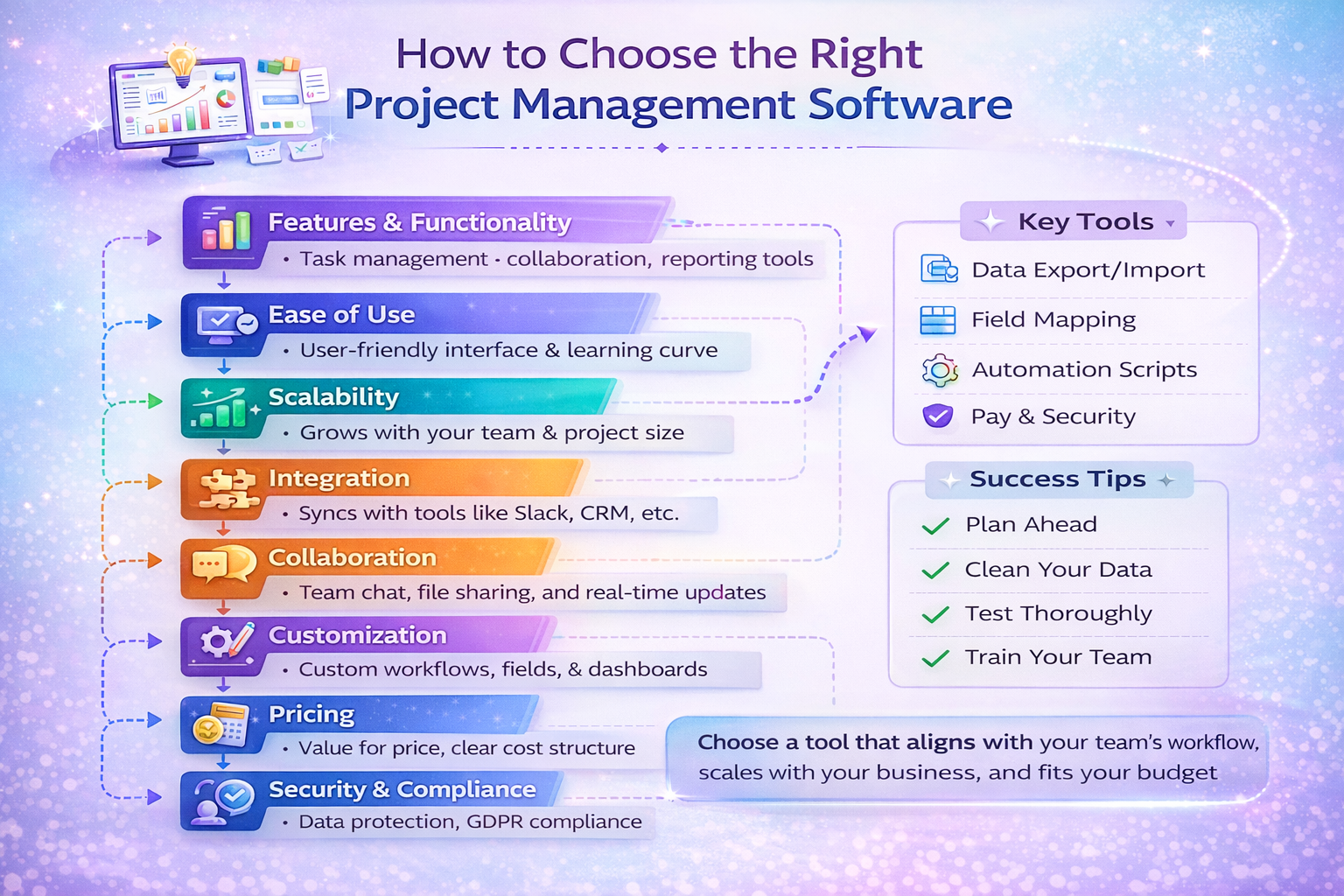
How to Choose the Right Project Management Software
Choosing the wrong project management software doesn’t just slow your team down — it compounds inefficiency, inflates operational costs, and quietly erodes profitability.
After years promoting SaaS platforms through affiliate ecosystems like Impact and PartnerStack, and testing dozens of project management tools inside real funnels, agencies, and SaaS teams, I’ve learned one thing:
Most businesses choose project management software based on popularity — not operational fit.
They look at:
- Brand recognition
- UI design
- Pricing discounts
- “Best tools” blog posts
But the real decision should be based on:
- Workflow compatibility
- Scalability
- Cost structure at scale
- Integration depth
- Automation flexibility
- Reporting capability
This guide explains exactly how to choose the right project management software from a strategic, growth-focused, and ROI-driven perspective.
Why Choosing the Right Project Management Software Matters
Project management software becomes operational infrastructure.
It impacts:
- Task execution speed
- Cross-team communication
- Resource allocation
- Client reporting
- Revenue forecasting
- Project profitability
Switching tools later is disruptive. Data migration, retraining, automation rebuilding — all create friction.
So choose correctly the first time.
Step 1: Define Your Workflow Model
Before comparing platforms, define how your team actually works.
Are you:
- Agile (sprints, backlogs, standups)?
- Waterfall (linear milestones)?
- Hybrid?
- Agency-based (client projects)?
- Product development-focused?
Different project management tools are optimized for different workflows.
For example:
- Kanban-heavy teams need board flexibility
- Product teams need roadmap views
- Agencies need client-level reporting
- Marketing teams need campaign tracking
If software doesn’t align with workflow, productivity declines regardless of features.
Step 5: Automation & Workflow Efficiency
Manual task movement wastes time.
Look for:
- Rule-based automation
- Status change triggers
- Task assignment automation
- Deadline reminders
- Recurring task automation
- Integration-based triggers
Automation is leverage.
In performance-driven teams, automation reduces administrative overhead and increases output capacity.
Without automation, teams compensate with meetings — which reduces efficiency.
Step 6: Integration Ecosystem
Project management software must integrate with:
- CRM systems
- Email marketing tools
- Slack or communication tools
- Time tracking apps
- Accounting platforms
- File storage systems
- Affiliate tracking software
In affiliate-heavy environments, integration with CRM and marketing tools is critical for tracking campaign execution and revenue attribution.
Test:
- Native integrations
- API documentation
- Webhook support
- Zapier compatibility
Closed systems create long-term operational friction.
Step 7: Reporting & Visibility
You need more than task tracking.
Evaluate:
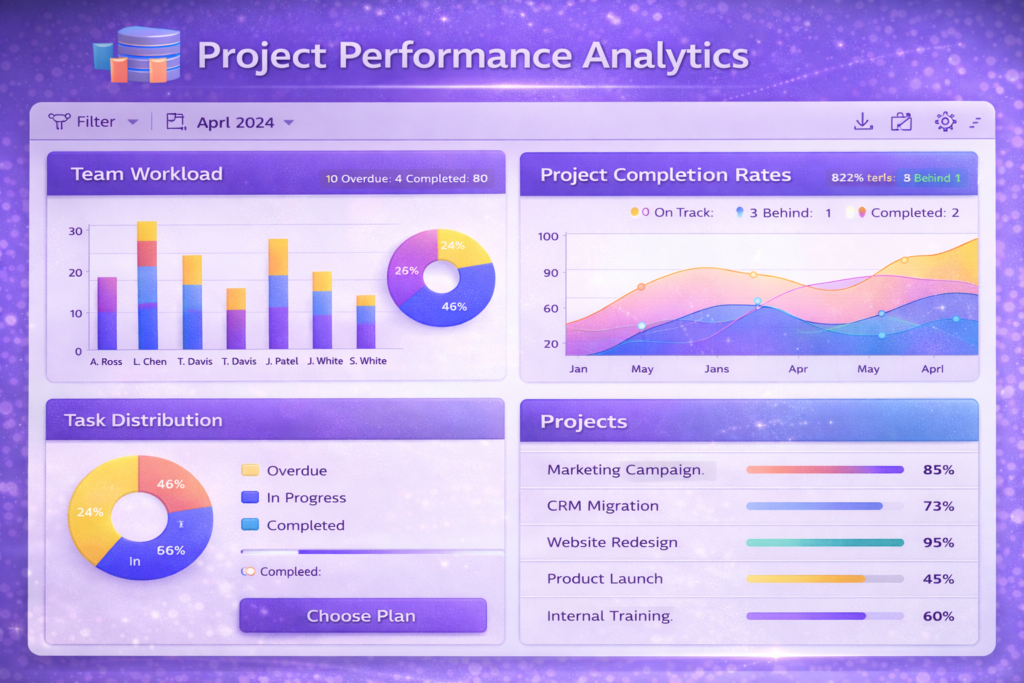
- Project health dashboards
- Resource allocation reports
- Budget tracking
- Time tracking integration
- Customizable reports
- Export capabilities
Leadership requires visibility.
If reporting is shallow, decision-making becomes reactive instead of strategic.
Step 8: User Experience & Adoption
Even powerful software fails if adoption is low.
Assess:
- Interface simplicity
- Learning curve
- Onboarding resources
- Mobile app usability
- Speed and responsiveness
Complex software increases resistance.
During affiliate testing across multiple SaaS tools, I’ve observed that user-friendly platforms consistently reduce churn and increase retention.
Adoption determines ROI.
Step 9: Security & Compliance
If you manage client data or internal IP, security matters.
Check:
- Role-based permissions
- Audit logs
- Data encryption
- Backup frequency
- SOC 2 compliance (if needed)
- Two-factor authentication
Security gaps create risk exposure.
Step 10: Support & Vendor Stability
Evaluate:
- Live chat availability
- Response time
- Knowledge base depth
- Product roadmap transparency
- Company funding and stability
Long-term vendor stability reduces migration risk.
Switching project management tools is disruptive — avoid unstable providers.
Common Mistakes When Choosing Project Management Software
- Choosing based on popularity
- Ignoring pricing at scale
- Overpaying for unused features
- Not testing workflow compatibility
- Underestimating automation importance
- Skipping integration testing
Most mistakes happen due to rushed decisions.
Project Management Software Buying Checklist
Before purchasing:
☑ Defined workflow model
☑ Identified must-have features
☑ Modeled pricing growth
☑ Tested automation
☑ Verified integrations
☑ Reviewed reporting
☑ Assessed security
☑ Tested usability
☑ Evaluated vendor stability
Structured evaluation prevents costly switches later.
Affiliate & ROI Perspective
From an affiliate ecosystem standpoint:
Project management tools with:
- Strong automation
- Tiered upgrades
- Team expansion pricing
- Enterprise plans
Often provide long-term recurring commission potential.
But recommending tools that don’t scale damages audience trust.
The right tool increases:
- Operational leverage
- Team efficiency
- Revenue per employee
Affiliate commissions should follow value — not drive decision.
When NOT to Upgrade
You may not need new software if:
- Current inefficiency is process-related
- Team adoption is poor
- Automation features aren’t fully used
- Workflow confusion exists
Sometimes optimization beats migration.
Final Thoughts
Choosing the right project management software is a strategic decision.
It impacts:
- Productivity
- Cost structure
- Team morale
- Client satisfaction
- Profitability
The best software is not the most popular.
It’s the one that aligns with your workflow, scales with growth, integrates smoothly, and improves operational leverage.
Evaluate deeply. Test thoroughly. Decide strategically.
Frequently Asked Questions (FAQ)
What is the best project management software?
There is no universal best tool. The right choice depends on workflow, team size, and integration needs.
How much should I pay for project management software?
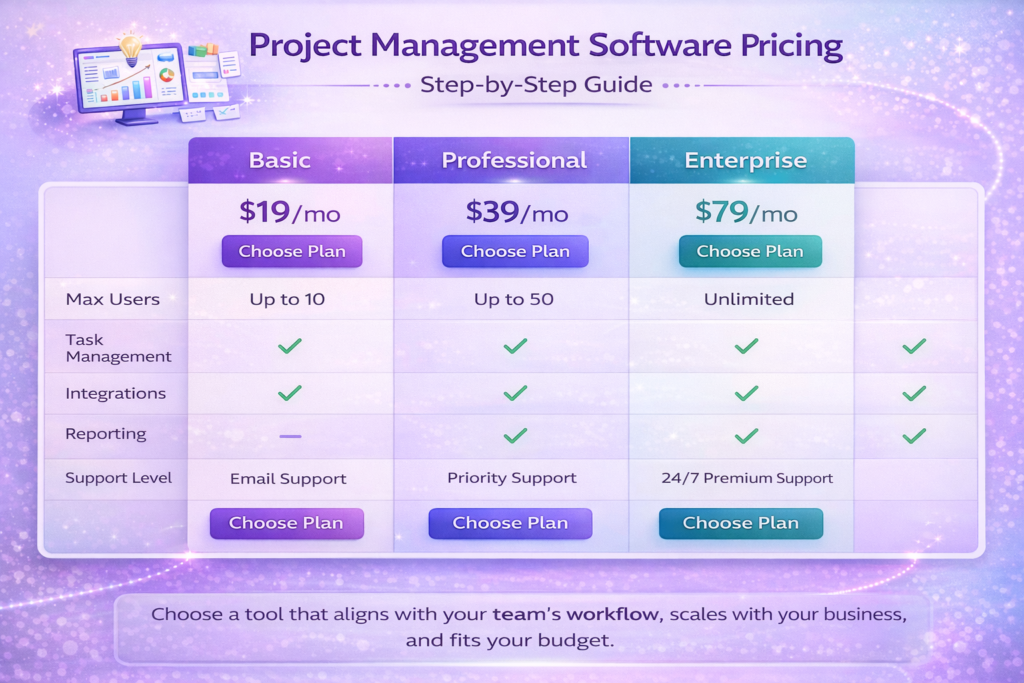
Model cost based on team growth and feature needs. Avoid focusing only on entry-level pricing.
Is free project management software enough?
Free tools work for small teams but often lack automation and reporting depth needed for scaling.
How long does it take to implement project management software?
Small teams: 1–2 weeks.
Mid-sized teams: 3–6 weeks depending on complexity.
Can project management software improve productivity?
Yes, when aligned with workflow and supported by automation and reporting.