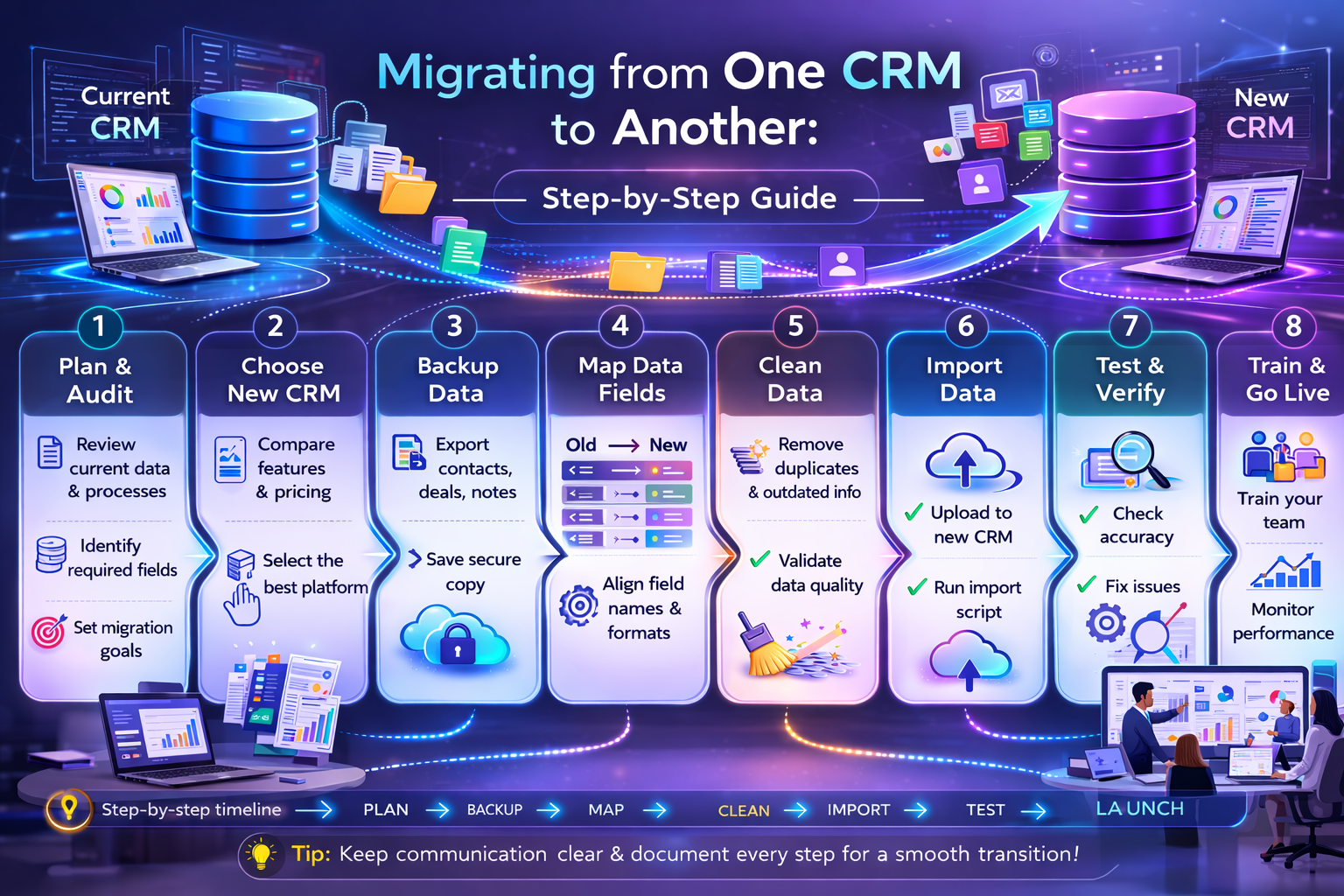
Migrating from One CRM to Another: Step-by-Step Guide
Migrating from one CRM to another is not just a technical project. It’s a revenue-sensitive transition that can impact sales pipelines, affiliate tracking, automation workflows, and customer relationships.
After years working in SaaS affiliate ecosystems through Impact and PartnerStack, and integrating multiple CRMs for performance campaigns, I’ve seen CRM migrations done well — and I’ve seen them destroy momentum.
A poorly managed CRM migration can lead to:
- Lost leads
- Broken automation
- Inaccurate attribution
- Revenue tracking gaps
- Sales team confusion
- Data corruption
This step-by-step guide will walk you through migrating from one CRM to another strategically, safely, and with minimal operational disruption.
Why Businesses Migrate from One CRM to Another
Common reasons include:
- Outgrowing feature limitations
- High per-user pricing at scale
- Weak automation capabilities
- Poor reporting
- Integration issues
- Bad customer support
- M&A consolidation
- Affiliate tracking misalignment
In affiliate-driven SaaS funnels, CRM limitations often show up in attribution gaps and poor lead scoring — which directly impacts commissions and ROI.
Migrating from one CRM to another is often a growth decision, not a cost decision.
Step 1: Define Clear Migration Objectives
Before exporting a single record, clarify:
- Why are we migrating?
- What problems must the new CRM solve?
- What KPIs must improve?
- What workflows need enhancement?
- What integrations must remain intact?
Without defined objectives, migration becomes chaotic.
Document:
- Required features
- Must-keep automation
- Reporting needs
- Compliance requirements
- Sales pipeline structure
This document becomes your migration blueprint.

Step 2: Audit Your Current CRM Data
Data hygiene is critical before migration.
Audit:
- Duplicate contacts
- Inactive leads
- Corrupt records
- Missing fields
- Broken automation
- Custom properties
- Tag structures
Do not migrate messy data.
Clean first.
From experience in affiliate ecosystems, migrating outdated or poorly tagged leads destroys segmentation logic and conversion performance.
Data cleanup before migration saves massive headaches later.
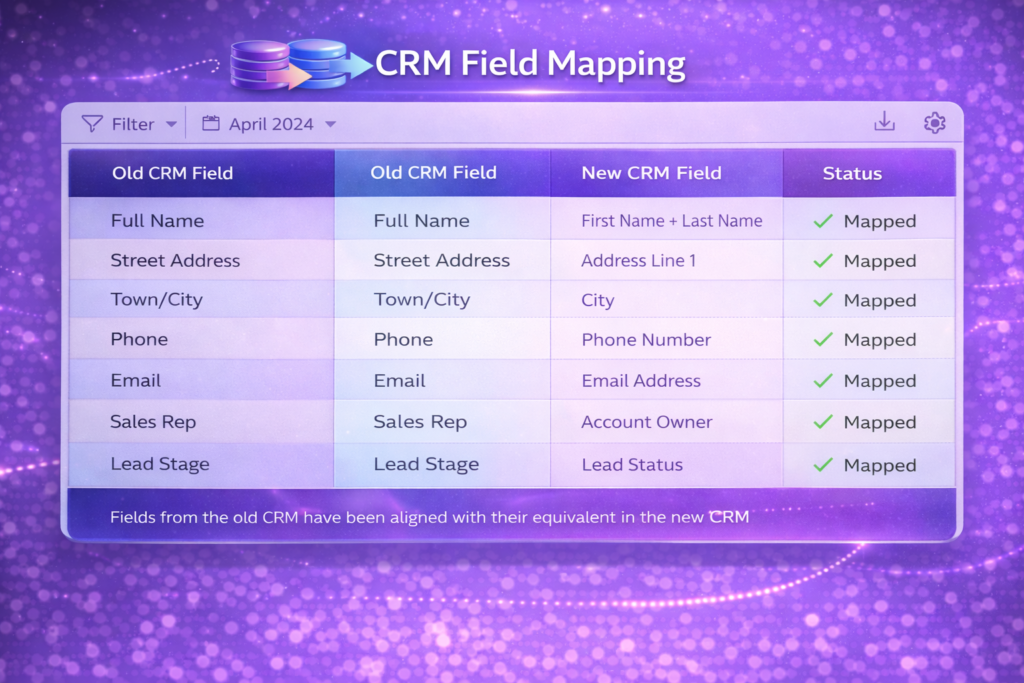
Step 3: Map Data Fields Between CRMs
Every CRM uses different field structures.
You must map:
- Contact properties
- Custom fields
- Tags
- Lead scores
- Deal stages
- Pipeline structures
- Activity logs
- Notes
- Tasks
Create a mapping spreadsheet:
Old CRM Field → New CRM Field
If you skip mapping precision, data integrity suffers.
Step 4: Backup Everything
Before migrating from one CRM to another:
Export:
- Contacts
- Deals
- Notes
- Activity history
- Automation workflows
- Email templates
- Reports
Save multiple copies.
Even if your new CRM offers automated migration, manual backup protects against catastrophic data loss.
Never rely solely on vendor promises.
Step 5: Rebuild Automation Strategically
Automation rarely transfers perfectly.
Instead of blindly copying workflows:
- Re-evaluate automation logic
- Optimize segmentation
- Improve trigger conditions
- Eliminate unnecessary steps
CRM migration is an opportunity to improve.
In affiliate marketing funnels, this is where revenue optimization happens. Refined lead scoring and improved triggers increase conversion rates.
Do not replicate outdated systems.
Upgrade them.
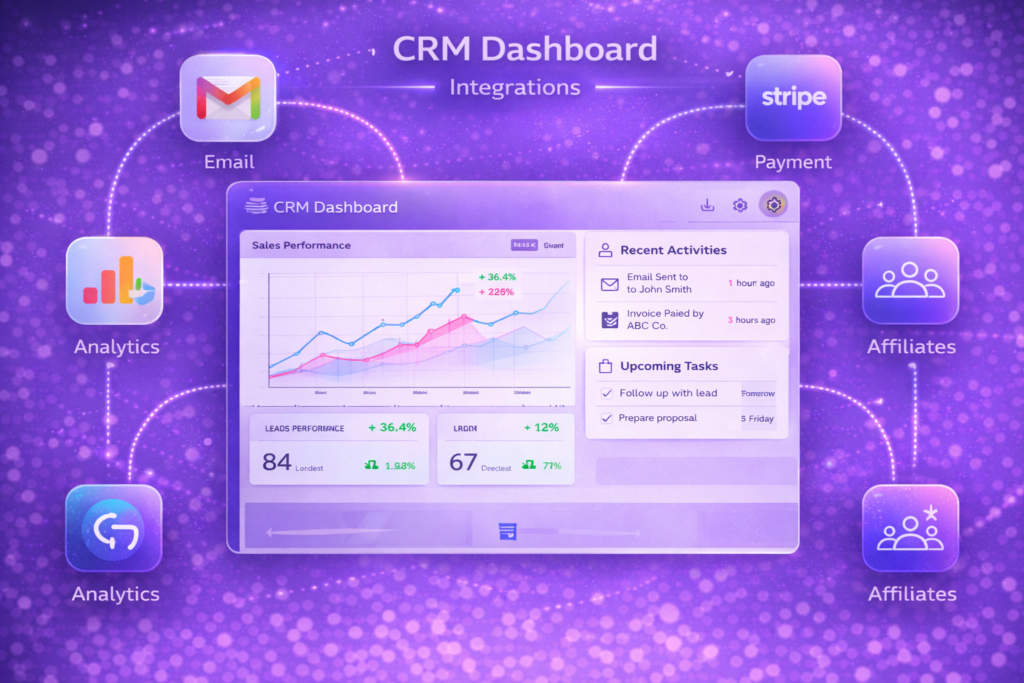
Step 6: Reconnect Integrations
CRMs often integrate with:
- Email marketing platforms
- Payment processors
- Webinar tools
- Funnel builders
- Affiliate tracking platforms
- Support systems
- Analytics tools
Integration failure during migration can break:
- Attribution
- Commission tracking
- Sales notifications
- Automated onboarding
Test each integration thoroughly.
In PartnerStack and Impact-driven campaigns, broken tracking links can cost thousands in lost commission if unnoticed.
Step 7: Run Parallel Testing
Before fully switching:
- Import a sample dataset
- Test workflows
- Verify automation triggers
- Check lead assignment
- Confirm pipeline movement
- Test reporting accuracy
Run both CRMs in parallel if possible.
Parallel testing reduces risk.
Never shut down the old CRM immediately.
Step 8: Train Your Team
CRM adoption determines success.
Train:
- Sales team
- Marketing team
- Customer success
- Operations
Cover:
- New interface navigation
- Workflow updates
- Reporting changes
- Lead handling procedures
Even the best CRM fails without team alignment.
Step 9: Monitor Post-Migration Performance
After migration:
Track:
- Lead conversion rates
- Deal velocity
- Email engagement
- Automation accuracy
- Revenue attribution
- Affiliate tracking stability
Expect minor friction in first 2–4 weeks.
Monitor daily during initial phase.
Quick corrections prevent long-term issues.
Common CRM Migration Mistakes
- Migrating dirty data
- Ignoring automation redesign
- Not mapping fields properly
- Failing to test integrations
- Skipping team training
- Rushing shutdown of old CRM
CRM migration is infrastructure work — not a simple software switch.
How Long Does CRM Migration Take?
Timeline depends on:
- Database size
- Automation complexity
- Custom fields
- Integrations
- Team size
Small business: 2–4 weeks
Mid-sized business: 4–8 weeks
Enterprise: 2–6 months
Plan realistically.
Rushing creates revenue risk.
CRM Migration Checklist
Before switching:
☑ Defined clear objectives
☑ Cleaned database
☑ Mapped all fields
☑ Backed up data
☑ Rebuilt automation
☑ Tested integrations
☑ Trained team
☑ Ran parallel testing
☑ Monitored performance
Migrating from one CRM to another requires discipline.
Affiliate & Revenue Considerations During CRM Migration
From affiliate ecosystem experience:
CRM migration impacts:
- Lead attribution
- Commission tracking
- Referral source tracking
- Lifecycle reporting
Before migrating:
- Export affiliate source tags
- Preserve UTM tracking fields
- Verify webhook triggers
- Confirm postback URLs
Revenue gaps often happen during migration windows.
Protect tracking integrity.
When NOT to Migrate
Do not migrate if:
- Your issue is training-related
- The current CRM meets growth needs
- Switching cost outweighs benefit
- Team resistance is extreme
- Data quality is severely poor
Sometimes optimization beats migration.
Final Thoughts
Migrating from one CRM to another is a strategic move.
Done properly, it can:
- Improve sales velocity
- Enhance automation
- Increase conversion rates
- Strengthen affiliate attribution
- Reduce operational friction
Done poorly, it can:
- Break pipelines
- Lose leads
- Damage revenue
- Confuse teams
Treat CRM migration like infrastructure modernization — not just software replacement.
Plan thoroughly. Execute carefully. Monitor aggressively.
Frequently Asked Questions (FAQ)
How risky is migrating from one CRM to another?
Risk depends on preparation. With proper data mapping, backups, and testing, risk is manageable.
Can CRM automation be transferred automatically?
Some elements transfer, but workflows often need manual rebuilding and optimization.
Will CRM migration affect email marketing?
Yes, if email is connected to CRM workflows. Test integrations thoroughly.
How do I prevent data loss during CRM migration?
Back up all records, run parallel testing, and validate imports before decommissioning old CRM.
Is it better to hire a CRM migration consultant?
For complex systems or enterprise environments, expert guidance reduces risk and downtime.